
Remove background from any photo — free
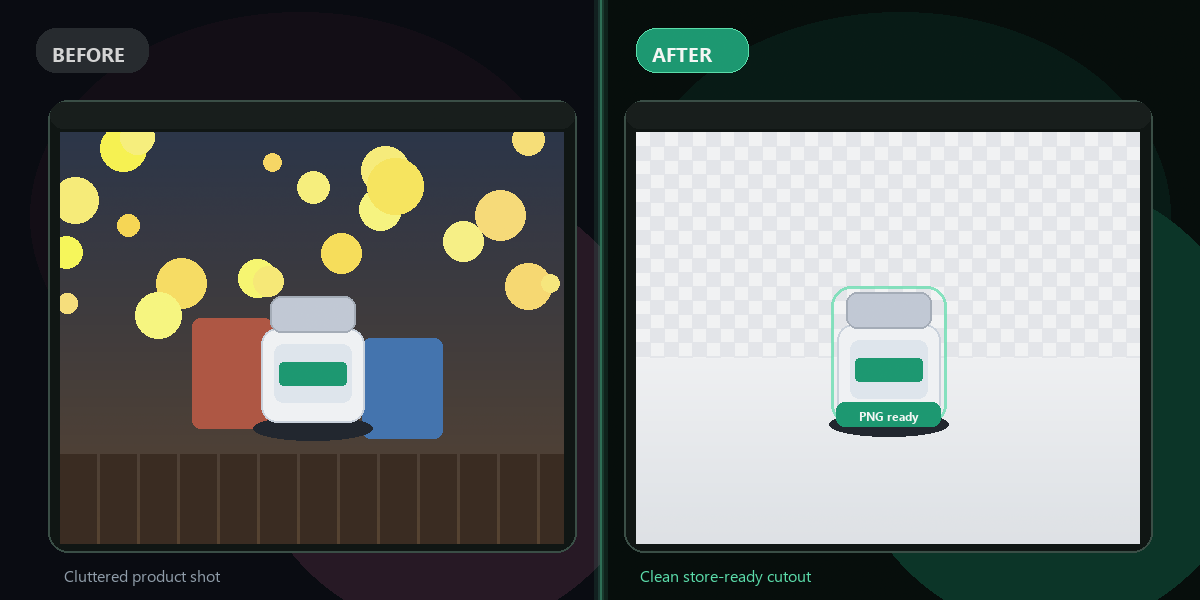
AI instantly isolates your subject and removes the background. Get a clean transparent PNG — no Photoshop, no signup needed.
- No watermarks
- Works on mobile
- First fix free, no signup
 FixTheFile AI Studio
- 1Upload
- 2Pick a fix
- 3Download
- 1Upload
- 2Pick a fix
- 3Download
Drop any file. AI picks the fix.
Images, audio, video, PDF, Word and ZIP — up to 500MB. Or click anywhere to browse.
image → upscale · audio → clean noise · video → extract audio · pdf → text · zip → repair
How it works
How to remove a background online
Upload your photo
Drop any JPG, PNG, WEBP, or HEIC file.
Select "Remove background"
One click — AI detects and isolates your subject.
Download transparent PNG
Your cutout is ready in seconds, with full transparency.
Why FixTheFile
The simplest background remover online
AI-powered accuracy
U2-Net isolates subjects from complex, messy backgrounds
Transparent PNG output
Place your cutout on any background or design
No signup needed
Try your first background removal instantly
Works for portraits, products, logos
Any subject type
No watermarks
Your clean cutout, ready to use
Private and secure
Files not stored permanently
Can I remove a background from a photo for free?+
Yes — FixTheFile removes backgrounds from photos online for free. Upload any image and select "Remove background" to get a clean transparent PNG instantly. No account needed for your first removal.
What AI does FixTheFile use for background removal?+
FixTheFile uses U2-Net (u2netp model), a state-of-the-art salient object detection model. It accurately separates subjects from complex backgrounds in seconds.
What file format is the output?+
The output is a transparent PNG file, which preserves the removed background as full transparency. Perfect for placing on any color, pattern, or design.
Can it handle product photos or portraits?+
Yes — FixTheFile works great for product photos on white or colored backgrounds, portraits, logos, and any photo where you want to isolate the main subject.
Do I need Photoshop or any software?+
No — FixTheFile removes backgrounds entirely in your browser. No Photoshop, GIMP, or any other software installation required. Works on any device.
Related tools
More background removal tools
Ready to remove a background?
No software needed. Works on any device. First fix is free.
Remove background free