
Remove background from product photos — free
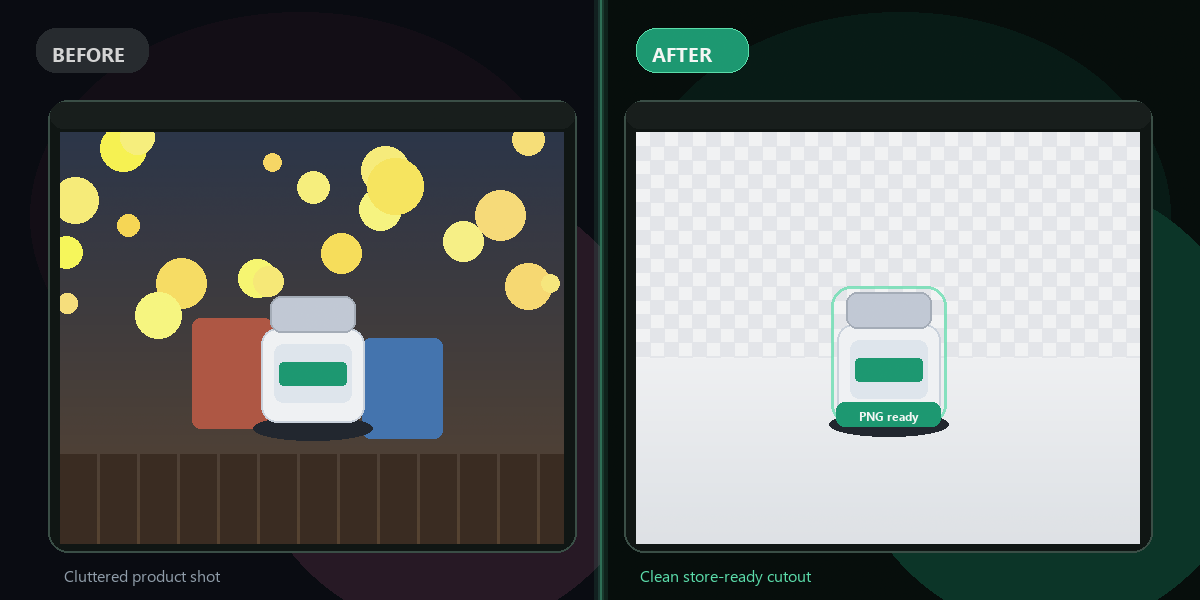
Selling online? Get clean, professional product photos with the background removed — no studio, no app, no watermark.
- No watermarks
- Works on mobile
- First fix free, no signup
 FixTheFile AI Studio
- 1Upload
- 2Pick a fix
- 3Download
- 1Upload
- 2Pick a fix
- 3Download
Drop any file. AI picks the fix.
Images, audio, video, PDF, Word and ZIP — up to 500MB. Or click anywhere to browse.
image → upscale · audio → clean noise · video → extract audio · pdf → text · zip → repair
How it works
How to remove a product photo background
Upload your product photo
Drag and drop a photo of your product — any background works.
Select "Remove background"
FixTheFile isolates your product and removes the background instantly.
Download your photo
Download a clean, transparent or white-background image, ready to list.
Why FixTheFile
The easiest product photo background remover
Marketplace-ready
Clean backgrounds for Amazon, Etsy, Shopify, and Instagram
No watermark
Your photo is clean and ready to use, no branding added
No signup needed
Convert instantly, no account or email required
Works on any device
Browser-based, no app to install on Mac, Windows, or Android
Private and secure
Files not stored permanently, never shared
Transparent or white background
Choose whichever your store needs
How do I remove the background from a product photo for free?+
Upload your product photo to FixTheFile and select "Remove background". Your image downloads with the background removed, ready to list online.
Does this work for Amazon listing photos?+
Yes — Amazon and most marketplaces require a plain white background for main listing photos, which FixTheFile produces automatically.
Can I get a transparent background instead of white?+
Yes — FixTheFile can output either a transparent PNG or a solid white background, depending on what your store or platform needs.
Will this work for photos taken on my phone?+
Yes — as long as your product is reasonably well-lit and in focus, a phone photo works fine for background removal.
Can I batch process multiple product photos at once?+
Currently FixTheFile processes one photo at a time. Upload each product photo individually to remove its background.
Related tools
More file fixing tools
Ready to fix your product photos?
No software needed. Works on any device. First fix is free.
Remove background free