
Compress any file — free
Shrink images, PDFs, and short videos without visible quality loss. See the exact size reduction before you download.
- No watermarks
- Works on mobile
- First fix free, no signup
 FixTheFile AI Studio
- 1Upload
- 2Pick a fix
- 3Download
- 1Upload
- 2Pick a fix
- 3Download
Drop any file. AI picks the fix.
Images, audio, video, PDF, Word and ZIP — up to 500MB. Or click anywhere to browse.
image → upscale · audio → clean noise · video → extract audio · pdf → text · zip → repair
How it works
How to compress a file online
Upload your file
Drop any image, PDF, or short video — up to 500MB (150MB for video).
Select "Compress"
FixTheFile automatically picks the best compression method for your file type.
Download the result
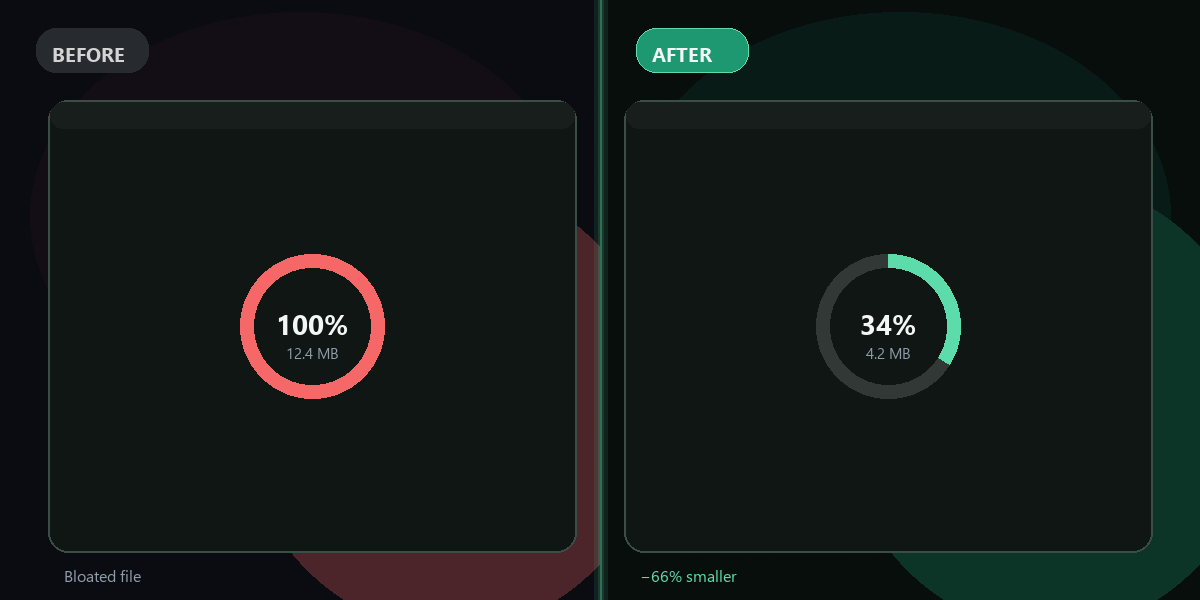
Your compressed file is ready with the before/after size shown.
What gets compressed
Three file types, one tool
Image compression
50–65% smallerJPEG, PNG, WebP compressed using Pillow. JPEG quality 75 — visually indistinguishable from the original at ~10ms processing time. PNG uses lossless deflate (no quality loss).
PDF compression
20–80% smallerPyMuPDF stream compression + Pillow image downsampling. Text PDFs shrink 20–30%. Image-heavy or scanned PDFs shrink 50–80% because embedded images are downsampled and recompressed.
Video compression
60–72% smallerFFmpeg with H.264 CRF 28 — significant size reduction while keeping the video watchable. Supports MP4, MOV, AVI, MKV.
Why FixTheFile
Fast, free, and tells you exactly how much it saved
Shows before/after size
Exact bytes and percentage reduction displayed after compression
Zero new cost
Uses Pillow, PyMuPDF, and FFmpeg already on our server (no paid API)
No signup needed
First compression is free and instant
Image quality 75
Visually lossless for photos; PNG uses lossless compression
PDF image downsampling
Embedded images inside PDFs are resized and recompressed, not just metadata-stripped
Private and secure
Files are not stored permanently
Can I compress images online for free?+
Yes — FixTheFile compresses JPEG, PNG, and WebP images online for free using Pillow. JPEG at quality 75 typically shrinks images 50–65% with barely perceptible visual difference. PNG uses lossless compression so quality is exactly preserved. No signup needed for your first compression.
How much does PDF compression reduce file size?+
It depends on what's inside the PDF. Text-heavy PDFs typically shrink 20–30% from stream compression. Image-heavy PDFs (scanned pages, photos) can shrink 50–80% because FixTheFile extracts each embedded image, downsamples it to a maximum 1600px dimension, recompresses it as JPEG quality 72, and re-embeds it. This is the technique that actually makes a difference for large PDFs.
Is there a video length limit for compression?+
Yes — videos must be under 90 seconds and under 150MB. This limit exists because video compression with H.264 is compute-intensive: a 60-second 1080p video takes about 2 minutes to process on our server, and the server has a 300-second request timeout. Videos longer than 90 seconds risk hitting that limit. Trim your video first, then compress it here.
Will my image look different after compression?+
At JPEG quality 75, the visual difference is barely perceptible for photos. Most users cannot tell a quality-75 JPEG from the original at typical viewing sizes. PNG files use lossless compression (compress_level=9) so they look exactly identical to the original — only the file size changes.
What formats are supported for compression?+
Images: JPEG, PNG, WebP. PDFs: any PDF up to 500MB. Video: MP4, MOV, AVI, MKV — under 90 seconds and 150MB. GIF is processed but results vary. ZIP, RAR, and audio files are not supported for compression.
Related tools
More file tools
Compress your file in seconds
No software needed. Works on any device. First compression is free.
Compress a file free