
Make any image background transparent — free
Need a transparent PNG for a logo, graphic, or design? Remove the background instantly — no app, no signup, no watermark.
- No watermarks
- Works on mobile
- First fix free, no signup
 FixTheFile AI Studio
- 1Upload
- 2Pick a fix
- 3Download
- 1Upload
- 2Pick a fix
- 3Download
Drop any file. AI picks the fix.
Images, audio, video, PDF, Word and ZIP — up to 500MB. Or click anywhere to browse.
image → upscale · audio → clean noise · video → extract audio · pdf → text · zip → repair
How it works
How to make a background transparent
Upload your image
Drag and drop any photo, logo, or graphic — any common image format works.
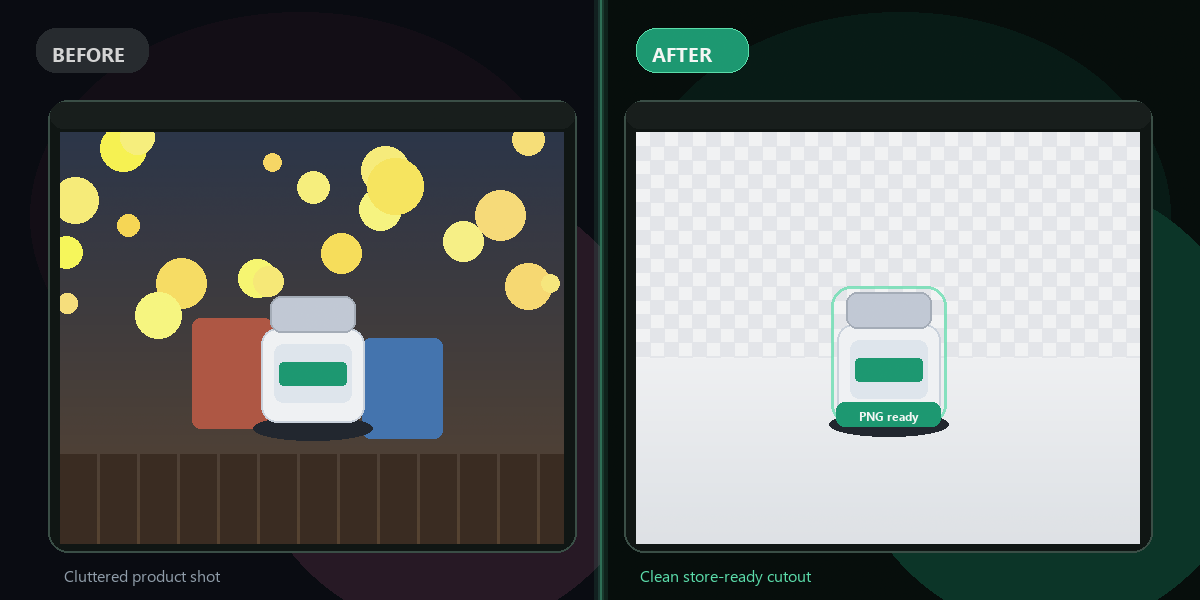
Select "Remove background"
FixTheFile detects the subject and makes everything else transparent.
Download your transparent PNG
Your image downloads as a transparent PNG, ready to use anywhere.
Why FixTheFile
The easiest transparent background maker
True transparency
Exports as a transparent PNG, not just a white background
No watermark
Your image is clean and ready to use, no branding added
No signup needed
Convert instantly, no account or email required
Works on any device
Browser-based, no app to install on Mac, Windows, or Android
Private and secure
Files not stored permanently, never shared
Great for logos, graphics, and product photos
Not just portraits
How do I make an image background transparent for free?+
Upload your image to FixTheFile and select "Remove background". Download the result as a transparent PNG, ready to use anywhere.
What file format do I get — will it actually be transparent?+
Yes — the output is a PNG file, which supports true transparency. JPG cannot store transparency, so PNG is used automatically.
Can I use a transparent PNG in PowerPoint or Canva?+
Yes — transparent PNGs work in PowerPoint, Canva, Google Slides, Photoshop, and most design tools without any extra steps.
Does this work for logos and graphics, not just photos?+
Yes — FixTheFile works on photos, logos, and illustrations, as long as there's a reasonably distinct subject to separate from the background.
Will the edges look clean, or jagged?+
FixTheFile uses AI-based edge detection to keep edges smooth, including fine details like hair where possible.
Related tools
More file fixing tools
Ready to make your background transparent?
No software needed. Works on any device. First fix is free.
Make background transparent